Ultrasonic wire splicing can be evaluated for joining conductors in wire harness assemblies. A useful equipment review starts with the connection design: which wires must be joined, how the splice will be positioned, and what mechanical and electrical requirements the finished assembly must meet. This guide uses RSM-UWM-2042, RSM-UWM-2060 and RSM-UWM-2080 as equipment candidates for different published conductor ranges.
Where ultrasonic wire splicing fits in a harness workflow
Ultrasonic metal welding uses high-frequency vibration and applied force to form a solid-state joint. For wire harness planning, consider conductor splice points that distribute power or combine branches. An application review may include automotive harnesses, industrial wiring and power cable assemblies; suitability for a particular assembly requires sample evaluation.
Define the conductor material, number of wires, strand construction, coating and joint geometry before choosing a machine. Copper and aluminum are listed on all three product pages, but that listing does not establish approval for mixed-material joints, every alloy or coated wire.
Application candidates: three equipment ranges
RSM-UWM-2042: smaller conductor splice trials
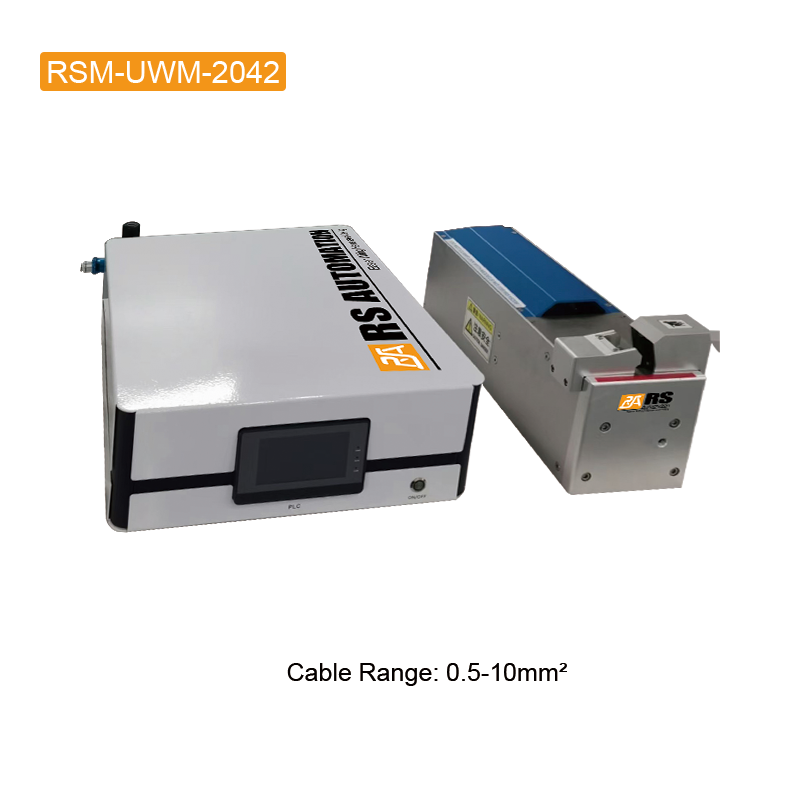
The RSM-UWM-2042 ultrasonic wire welding machine is an initial candidate when the proposed splice falls within its published 0.5–10 mm² range. For a branch connection with several wires, identify every conductor and the proposed bundle arrangement. Check whether small strands remain contained during loading and whether the fixture leaves sufficient room for the insulation.
Video: Watch the RSM-UWM-2042 product demonstration. Use this as a visual reference for the equipment; it does not establish test results for your wire combination.
RSM-UWM-2060: applications within the listed 30 mm² limit
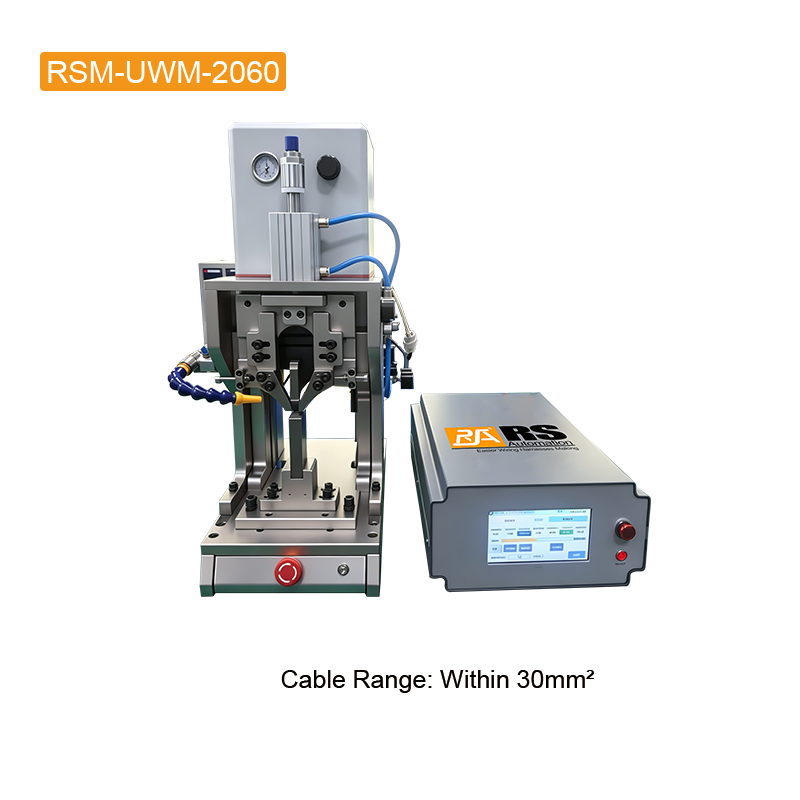
The RSM-UWM-2060 ultrasonic wire welding machine lists a cable range within 30 mm². Consider it for assemblies inside that stated limit, then verify the complete wire combination. The page does not state a minimum range. Where several models appear suitable, compare sample joints, tooling access and handling requirements.
Video: Watch the RSM-UWM-2060 product demonstration. Use this as a visual reference for the equipment; it does not establish test results for your wire combination.
RSM-UWM-2080: larger conductor assembly trials
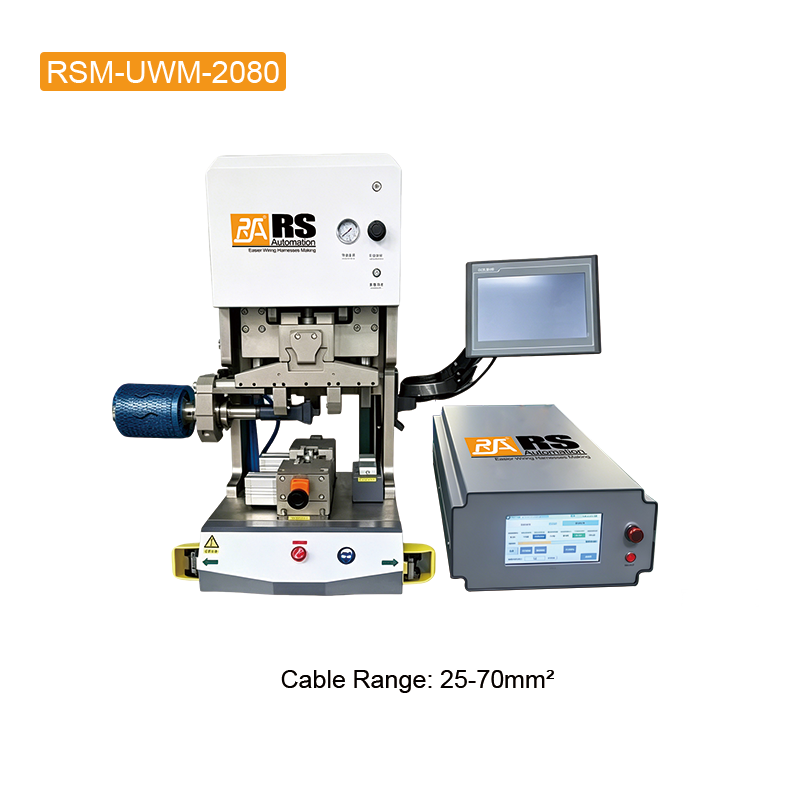
The RSM-UWM-2080 ultrasonic wire welding machine lists 25–70 mm². Larger conductor assemblies require attention to cable support, bend clearance and repeatable positioning at the weld zone. Evaluate fixture access with the actual cables; power rating alone does not demonstrate acceptable joint performance.
Video: Watch the RSM-UWM-2080 product demonstration. Use this as a visual reference for the equipment; it does not establish test results for your wire combination.
The published cable ranges do not define whether the value describes an individual conductor or the combined cross-section at the joint. Confirm the interpretation with RS Automation before using these figures as selection limits. For a specification comparison, read our 2042, 2060 and 2080 machine selection guide.
Processing sequence: from wire preparation to a validated splice
1. Define the joint and acceptance requirements
Prepare a drawing showing the splice location, wire entries, available space and target joint dimensions. Specify mechanical and electrical acceptance criteria using the applicable customer or assembly requirements. Agree on the inspection plan before producing samples.
2. Prepare and inspect the stripped conductors
Set the strip length to suit the proposed joint and fixture. Inspect for cut strands, damaged insulation, contamination and inconsistent stripped length. Keep conductor identity and orientation consistent. Wire preparation defects should be addressed before adjusting the welding process.
3. Position the bundle and confirm tooling fit
Place the conductors according to the approved joint arrangement. Support cables so that their weight and stiffness do not disturb positioning. Check that insulation stays outside the intended weld zone and that the tooling can contain the bundle without unintended strand displacement.
4. Develop settings using representative samples
Confirm which welding parameters can be set and recorded on the supplied machine configuration. Develop the process with the equipment supplier using actual production materials and tooling. Do not copy settings from a video or assume that a higher power setting improves a joint. Change conditions systematically and record the resulting samples.
5. Inspect, test and document the result
Review the welded zone for strand containment, joint geometry, damage and insulation clearance. Apply the agreed mechanical and electrical tests; visual appearance alone is insufficient to establish all acceptance requirements. Record the wire combination, tooling, settings and test results so the trial can be reviewed and repeated.
Production checks beyond the weld itself
Measure the complete workflow, including loading, positioning, welding, unloading and inspection. Published welding times are not complete workstation cycle times. Repeated trials should include representative operators and normal handling conditions rather than only a carefully arranged demonstration.
Once the setup is accepted, define checks for wire preparation, fixture condition and tooling wear. Review the process when the conductor material, strand construction, wire combination or joint design changes. Equipment control features support setup but do not replace a documented acceptance process.
Prepare an application review with RS Automation
Send the conductor material and sizes, number of wires, strip length, joint drawing, required tests, expected output and destination country through the RS Automation contact page. Include representative samples where practical. Request confirmation of the proposed machine, tooling and evaluation plan before ordering.
Technical reference
For background on the solid-state welding principle, see Emerson’s ultrasonic metal welding overview. Model specifications and demonstration links in this article are from the corresponding RS Automation product pages.